How to Register on RK Astral: Step-by-Step Guide for Filipino Players
What You Need Before You Start
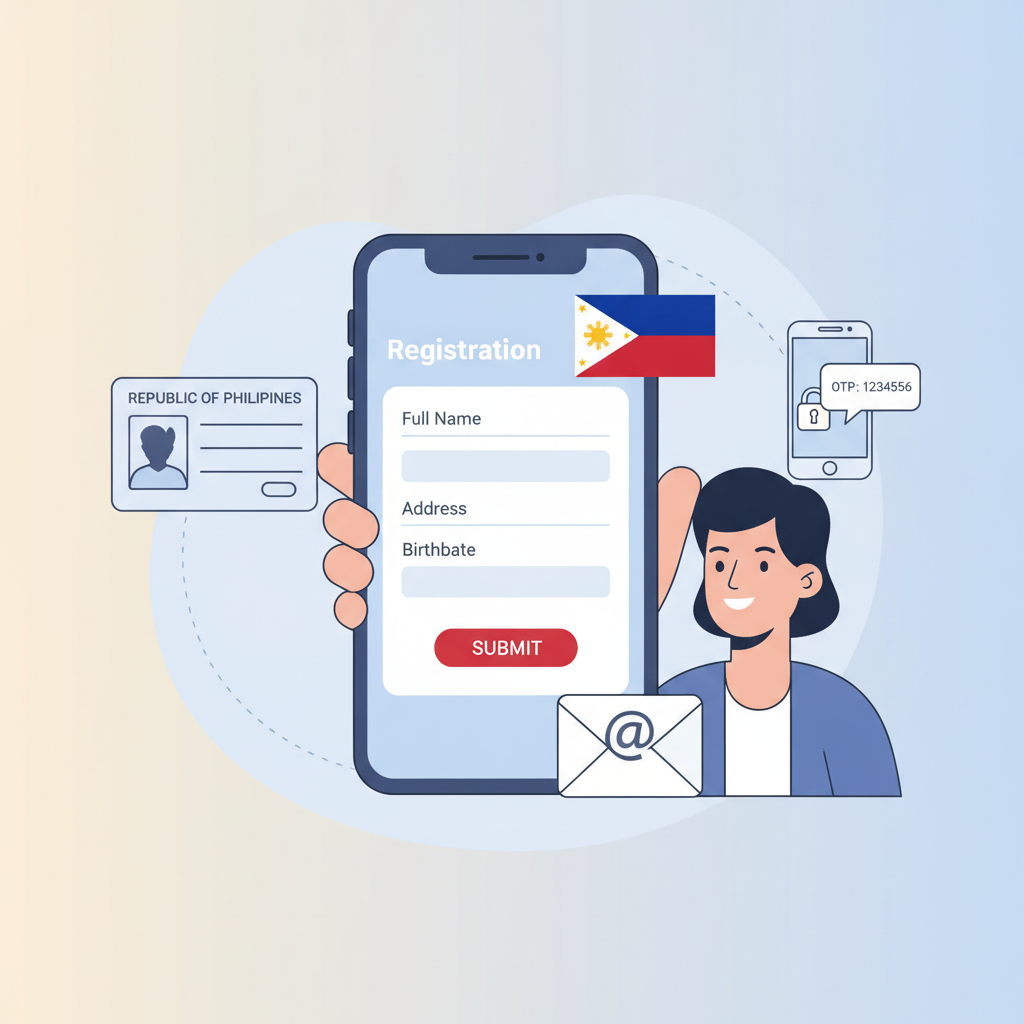
Before you register on RK Astral, make sure you have everything ready. The platform requires all players to be 21 years old or above—this is strictly enforced during account verification.
Here's what you need:
- Valid government-issued ID – Your Philippine passport, driver's license, UMID, postal ID, or any government ID with your photo, full name, and birth date.
- Active mobile number – RK Astral sends a one-time PIN (OTP) to verify your phone during signup.
- Working email address – You'll use this for login and account recovery.
- Stable internet connection – The registration takes about five to ten minutes if your connection is steady.
Most Filipino players register using their Android phones. The RK Astral website works on mobile browsers, so you don't need to download anything to create an account.
Step-by-Step Registration Walkthrough
Follow these steps to sign up on RK Astral. The process is straightforward, but take your time filling in each field correctly to avoid errors later.
1. Go to the RK Astral Website
Open your mobile browser (Chrome, Safari, or Firefox) and type in the RK Astral web address. Look for the "Register" or "Sign Up" button—it's usually in the top-right corner or displayed as a large button on the homepage.
Tap the button to open the registration form.
2. Fill in Your Personal Details
You'll see a form asking for basic information. Enter the following:
- Full name – Use your legal name exactly as it appears on your government ID. Don't use nicknames.
- Birth date – Select your birth date using the drop-down calendar. Remember, you must be 21 or older.
- Mobile number – Enter your 11-digit Philippine mobile number (starts with 09). Make sure it's active, because you'll receive an OTP.
- Email address – Type your email carefully. You'll need this to log in and reset your password if you forget it.
Double-check every detail before moving to the next step. Mistakes here can delay your account verification.
3. Create Your Login Credentials
Choose a username and password for your RK Astral login.
- Username – Pick something easy to remember but unique. You can't change this later, so choose carefully.
- Password – Create a strong password with at least eight characters. Mix uppercase and lowercase letters, numbers, and symbols. Avoid using "123456" or your birth date.
Write down your username and password in a safe place, or save them in a password manager app.
4. Enter Your Address
RK Astral asks for your residential address. This should match the address on your ID if possible, but some IDs don't show full addresses. In that case, enter your current address.
Fill in:
- Street and house number
- Barangay
- City or municipality
- Province (if applicable)
- Postal code
The platform may ask for your address during account verification, so keep it accurate.
5. Verify Your Mobile Number
After you submit the form, RK Astral sends a six-digit OTP to the mobile number you entered. Check your SMS inbox.
Type the OTP into the verification box on the screen. If you don't receive the code within two minutes, tap "Resend OTP." Make sure your phone has signal and isn't blocking messages from unknown numbers.
6. Agree to Terms and Confirm Registration
Before your account is created, you'll need to tick a box confirming:
- You are 21 years old or older.
- You agree to RK Astral's terms and conditions.
- You understand the responsible gambling policies.
Tap "Submit" or "Create Account." If all your details are correct, you'll see a confirmation message and be redirected to your new RK Astral account dashboard.
Account Verification and ID Upload Process
RK Astral requires identity verification before you can make your first withdrawal. Some players are asked to verify their ID right after registration; others are prompted when they request a payout. Either way, the process is the same.
When and Why Verification Happens
ID verification confirms you're a real person, you meet the 21+ age requirement, and the account belongs to you. This is standard practice for online casinos in the Philippines and helps prevent fraud.
How to Upload Your ID
- Log in to your RK Astral account.
- Go to "My Account" or "Profile Settings."
- Look for a section labeled "Verification" or "KYC" (Know Your Customer).
- Tap "Upload Document."
- Select the type of ID you're submitting from the drop-down menu (passport, driver's license, UMID, etc.).
- Take a clear photo of your ID. Make sure all four corners are visible, the text is readable, and there's no glare.
- Upload the photo. Some players are also asked to take a selfie holding their ID next to their face.
- Submit and wait for approval.
Verification usually takes 24 to 72 hours. You'll receive an email or SMS when your account is verified.
Tips for a Smooth Verification
- Use good lighting when taking photos. Avoid shadows and reflections.
- Don't crop or edit your ID photo.
- If your ID is expired, use a different one. RK Astral only accepts valid, non-expired IDs.
- Make sure the name on your ID matches the name you used during RK Astral registration.
Common Registration Errors and How to Fix Them
Even if you follow the steps carefully, you might run into an error. Here are the most common issues Filipino players face when they register on RK Astral, and how to solve them.
"Mobile Number Already Registered"
Why it happens: The phone number you entered is already linked to another RK Astral account.
Fix: If you've registered before and forgot, try logging in using that number. If someone else used your number by mistake, contact RK Astral customer support. They can help you verify ownership and unlink the number.
"Invalid OTP" or "OTP Expired"
Why it happens: You entered the wrong code, or the six-digit OTP timed out (usually after five minutes).
Fix: Request a new OTP by tapping "Resend." Make sure you're checking the correct phone for messages. If OTPs aren't arriving, check if your phone's SMS inbox is full or if you have any spam filters active.
"Registration Failed – Try Again Later"
Why it happens: This can be a temporary server issue, or your internet connection dropped while submitting the form.
Fix: Close the browser, reconnect to Wi-Fi or mobile data, and try again after a few minutes. If the error persists, clear your browser cache or switch to a different browser.
"Name Does Not Match ID"
Why it happens: During verification, the name you entered during RK Astral register doesn't match the name on your uploaded ID.
Fix: Contact customer support immediately. You may need to create a new account with the correct name, or support can update your details if you explain the mistake.
"Underage Account"
Why it happens: Your birth date shows you're younger than 21.
Fix: If you made a mistake entering your birth date, reach out to support. If you're actually under 21, you cannot register. RK Astral enforces the 21+ rule strictly.
Responsible Gambling Reminder and Next Steps After Signup
Congratulations—you've successfully registered on RK Astral. Before you start playing, take a moment to think about responsible gambling.
RK Astral is for players aged 21 and over. Set a budget before you deposit, and only bet money you can afford to lose. Gambling should be entertainment, not a way to make money or solve financial problems. If you ever feel like betting is becoming a problem, RK Astral offers self-exclusion tools and deposit limits in your account settings.
What to Do Next
Now that your account is live, here's what most new players do:
- Complete ID verification (if you haven't already). This saves time when you want to withdraw winnings later.
- Make your first deposit. RK Astral accepts GCash, Maya, bank transfer via InstaPay, and PESONet. Minimum deposits typically start at PHP 100.
- Explore the games. Try slots, live dealer tables, or place a bet on PBA or NBA games. Start with small bets while you learn how the platform works.
- Secure your account. Enable two-factor authentication if available, and never share your RK Astral login details with anyone.
If you're new to online casinos, take your time. You don't need to deposit right away. Browse the game lobby, read the rules, and get comfortable with the layout. RK Astral's interface is designed for mobile, so navigation is simple even if this is your first time.
Remember: Only players 21 years and older may register and play. Gamble responsibly, set limits, and seek help if gambling stops being fun.